
Grid Mission Planning 2.0
My role
Solo designer with guidance
from a lead designer
Timeline
March 24’ - May 24’
Team
1 Product Manager,
1 Designer & 3 Devolopers
FlytBase is a platform that helps businesses create and automate drone missions for tasks like surveillance, mapping, and inspections. It allows users to plan flight paths, control drones remotely, and collect data efficiently.
I led the redesign of FlytBase’s Grid Mission Planner, a key tool for automating large-area drone surveys and creating orthomosaics, rebuilding it from the ground up to enhance its capabilities, improve user experience, and support advanced functionalities.
FlytBase automates drone flight and image capture, ensuring proper overlap and coverage. The captured images are then processed by third-party software to generate the final 2D/3D orthomosaic.
An orthomosaic is a high-resolution aerial map, stitched from multiple drone images with precise geographic accuracy.

Problem space
With the growth in orthomosaic map users, our existing grid mission planner lacked advance and complicated functionalities which were essential to integrate with post processing soft-wares. This led to a complete redesign.
Advanced Functionalities
Enable functionalities, such as precise GSD calculations and image overlap, to meet evolving mission requirements.
Streamlined Workflow
Simplify and refine user processes, reducing friction and eliminating unnecessary complexities.
Operational Efficiency
Improve drone flight efficiency by avoiding restricted areas like no-fly zones.
Solution Highlights
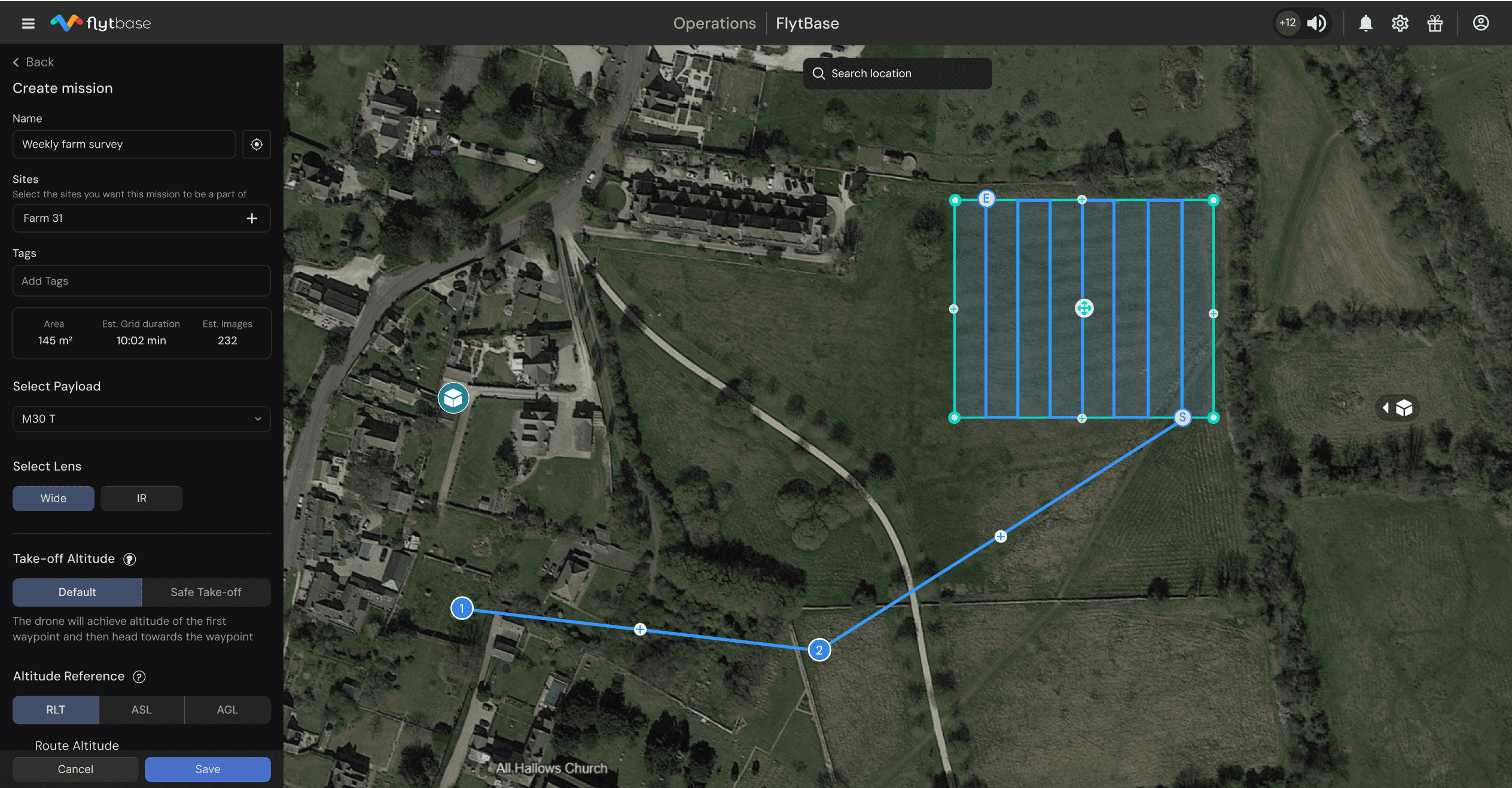
Main screen comparison: updated with new design system and functionalities coming together for an intuitive experience
Simplified user flow: I redesigned the user flow to replace a cluttered, confusing interface with a clear, intuitive layout. This new structure helps users quickly access key features and navigate the planner with confidence.
Custom Approach Routes: We developed a custom approach route feature that empowers users to define the drone’s entry path into the grid area. This control enhances flight precision and overall mission safety.
Smart Error Handling: We mapped out common error scenarios and built in guiding prompts to help users easily identify issues and choose the best corrective actions, ensuring a smoother planning experience.
New grid pattern draw method: We refined the planner’s design by incorporating a modern color scheme and intuitive icons. These visual upgrades not only improve aesthetic appeal but also make grid drawing on the map more straightforward.
Research and Brainstorming
We began by examining our outdated mission planner, which offered users limited control over flight parameters. Recognizing that GSD and overlap were critical requirements, we set out to discover the most effective way to integrate these factors
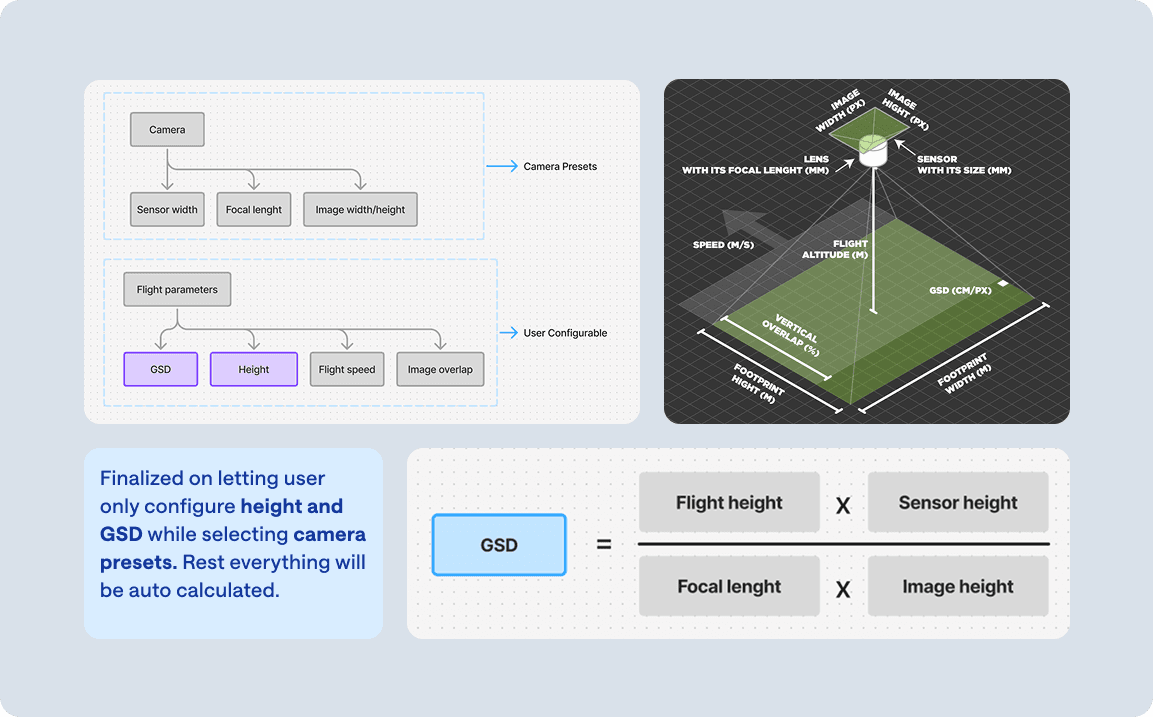
Technical feasability: In collaboration with the PM team, we focused on simplifying key parameter such as GSD, flight height, and image overlap and tackled the complex calculations early on. This proof of concept gave us confidence in the approach and provided greater clarity for designing the new planner
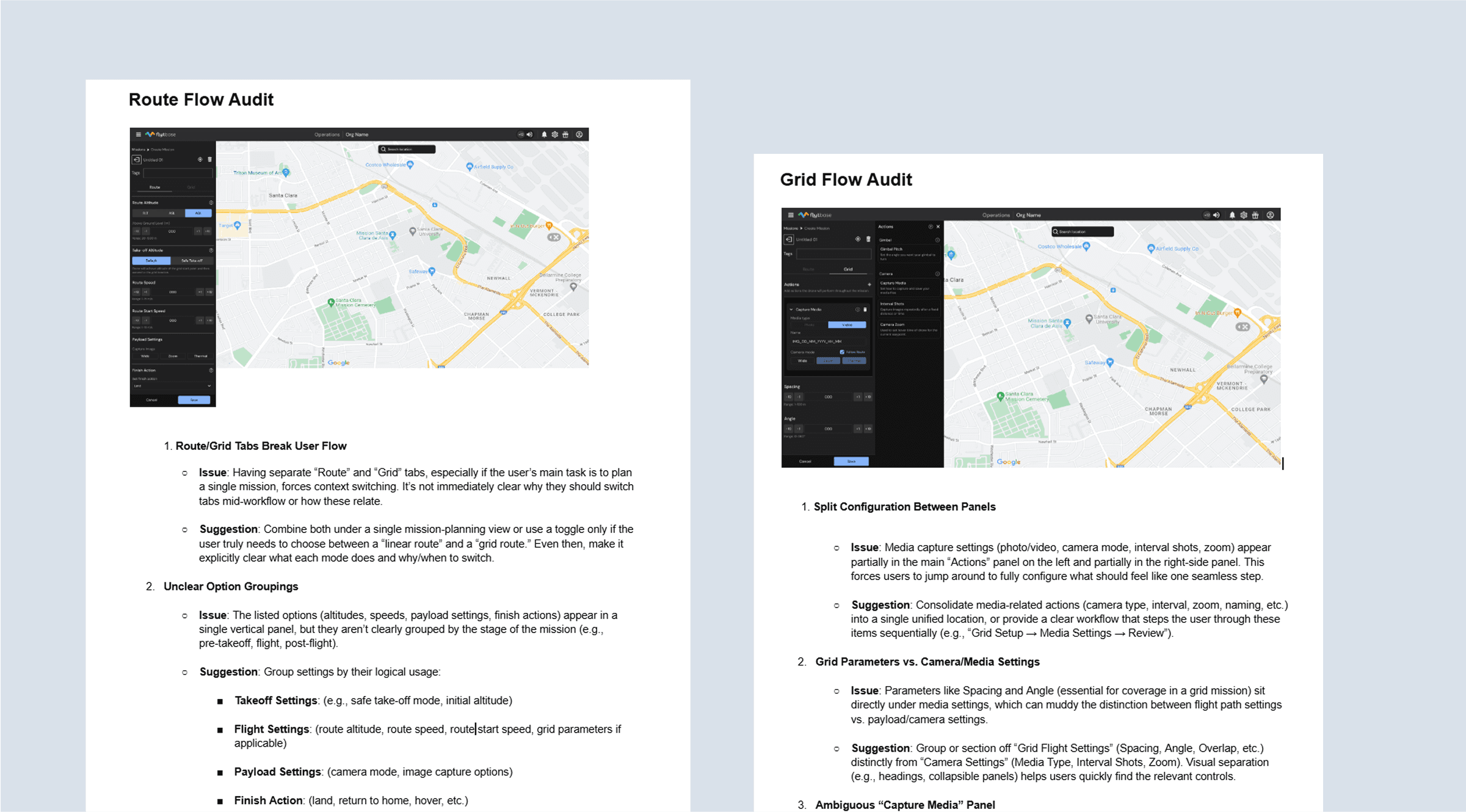
Planner audit: After figuring out how all the calculations tie up together, i did an audit of planner and after questioning every button or input field, i came across features that could be replaced or removed to decrease complexity without actually lowering functionality
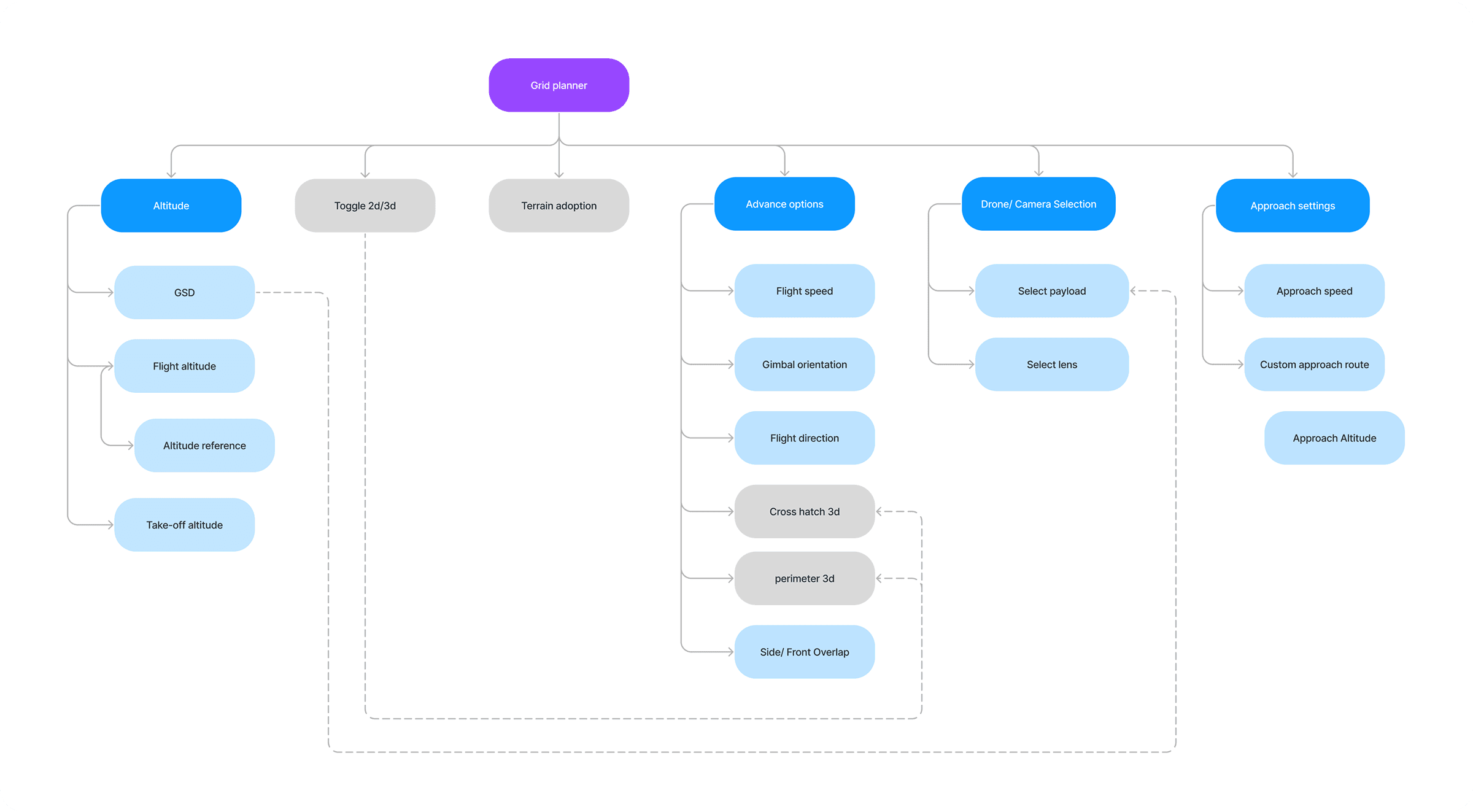
Setting up IA and low level user flow: After a few “Passionate disagreements” with the PM and stakeholders about removing some features, i was able to plan out the new IA and hierarchy which would help the a novice user quickly set basic parameters with fine tuning options available for the more experienced.
Design and iterations
High-level compilation of all the design explorations, and iterations we navigated in designing the Grid planner 2.0
As multiple new capabilities were slated to be introduced in the redesign, we explored developing a bespoke layout.
Before- Scattered user actions with unnecessary steps to achieve simple goals
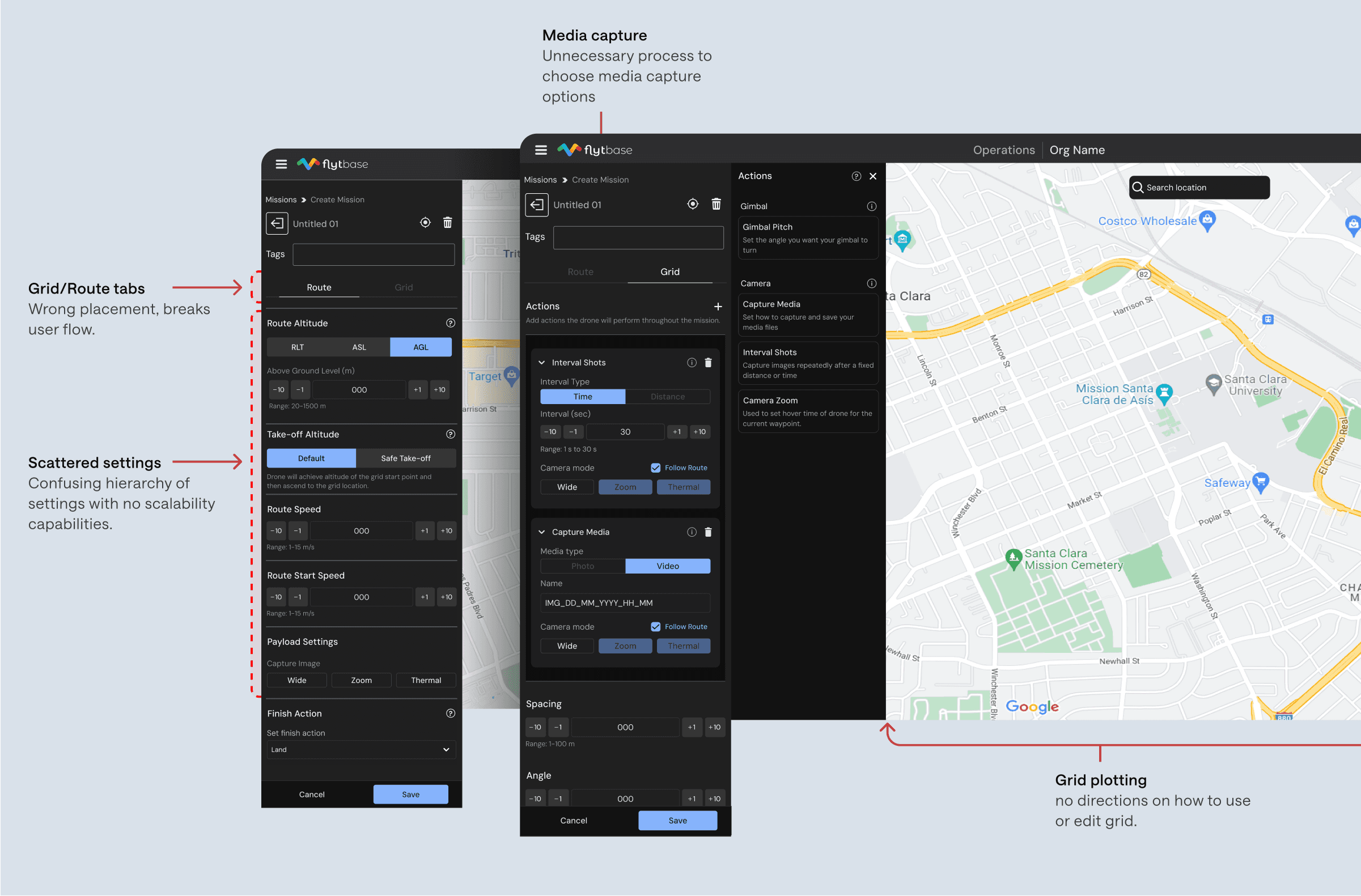
After- Decluttered and more unified experience.
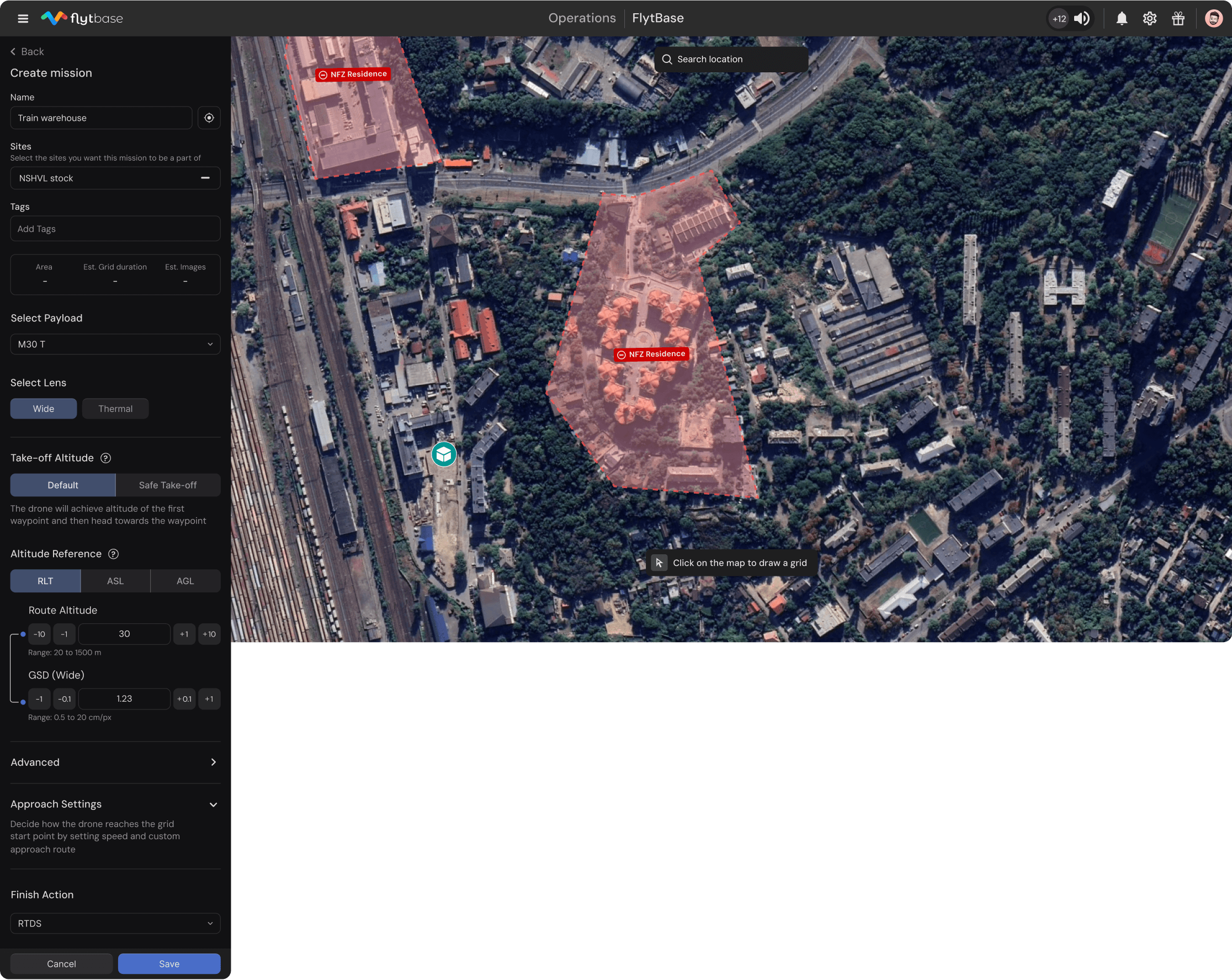
Main screen- It begins with all essential information like area coverage and flight duration, followed by key parameters most relevant to the user. Advanced settings are tucked away for more experienced users.
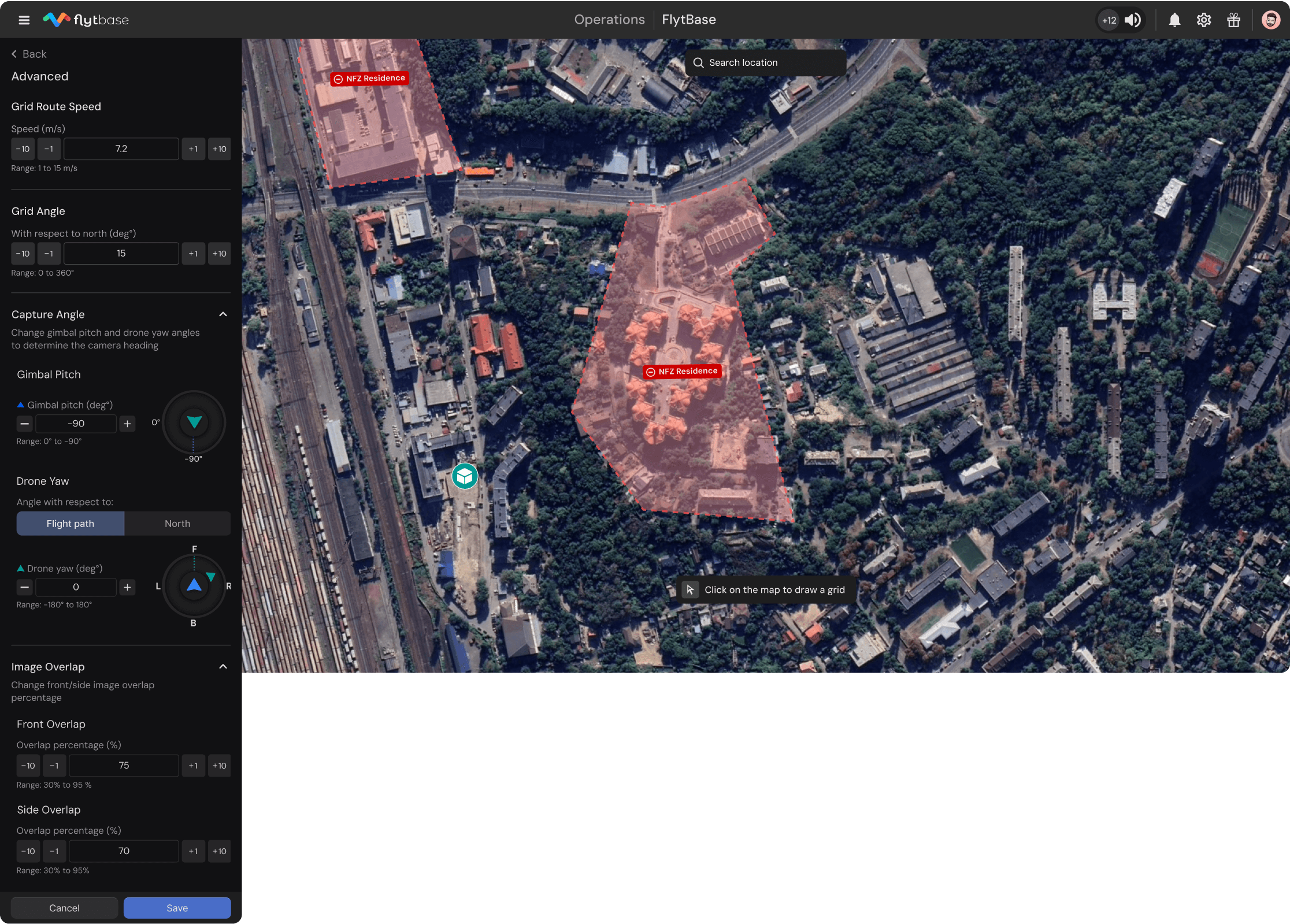
Advance options- Designed with smart defaults for the best results, all settings adapt to the plotted grid and stay easily tweakable through a clean, intuitive interface for those who want more control.
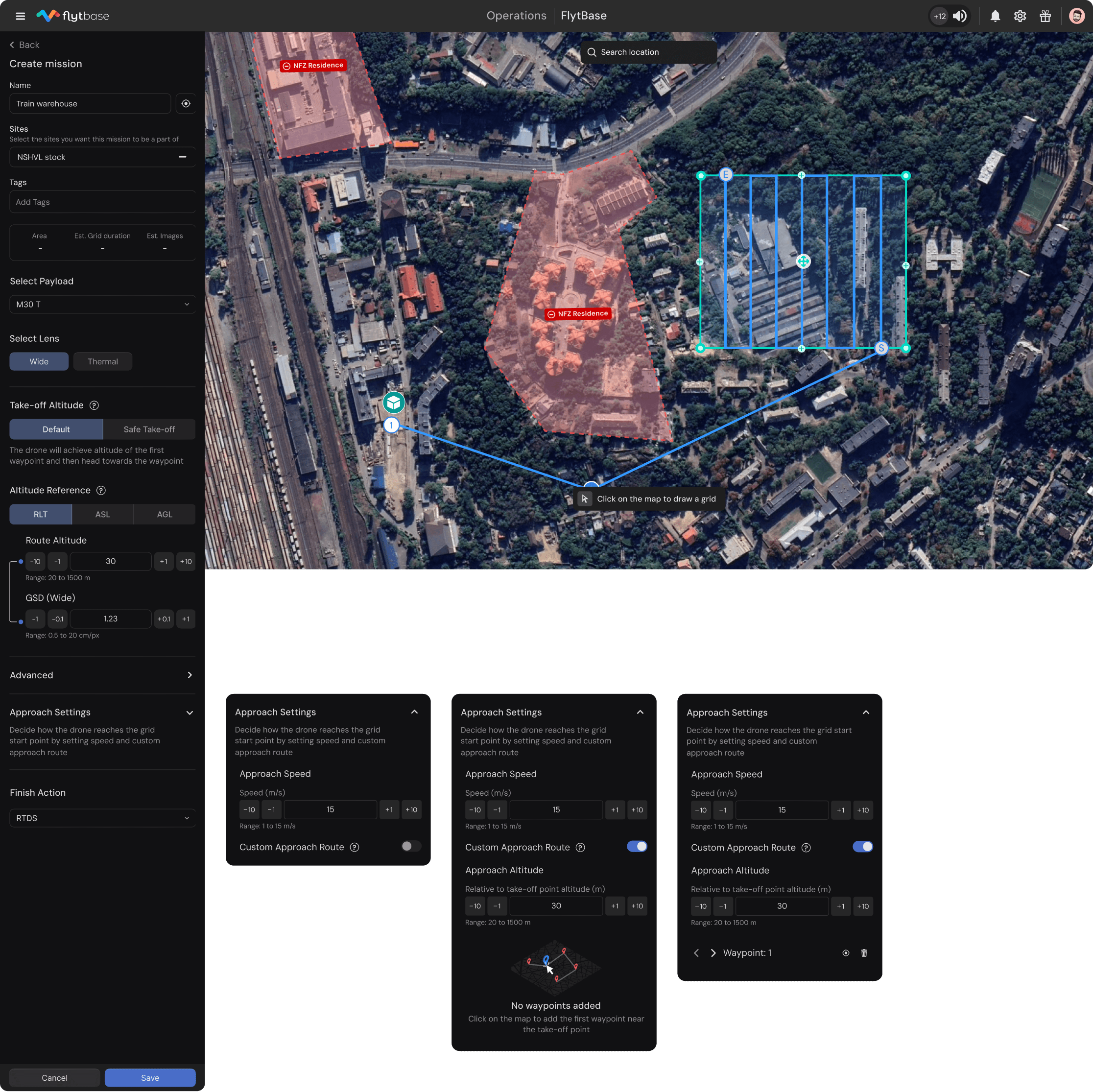
Approach settings- This advanced feature allows users to set custom approach routes, altitudes, and speeds, making it easier to plan missions around tricky areas with obstacles or restricted airspace. It gives experienced users the flexibility to fine-tune flight paths for safer and more efficient operations.
Grid tool exploration- I explored multiple ways to plot the grid and clearly visualize the area to be mapped. This included experimenting with different grid styles and color schemes to ensure maximum visibility across various terrain map types.
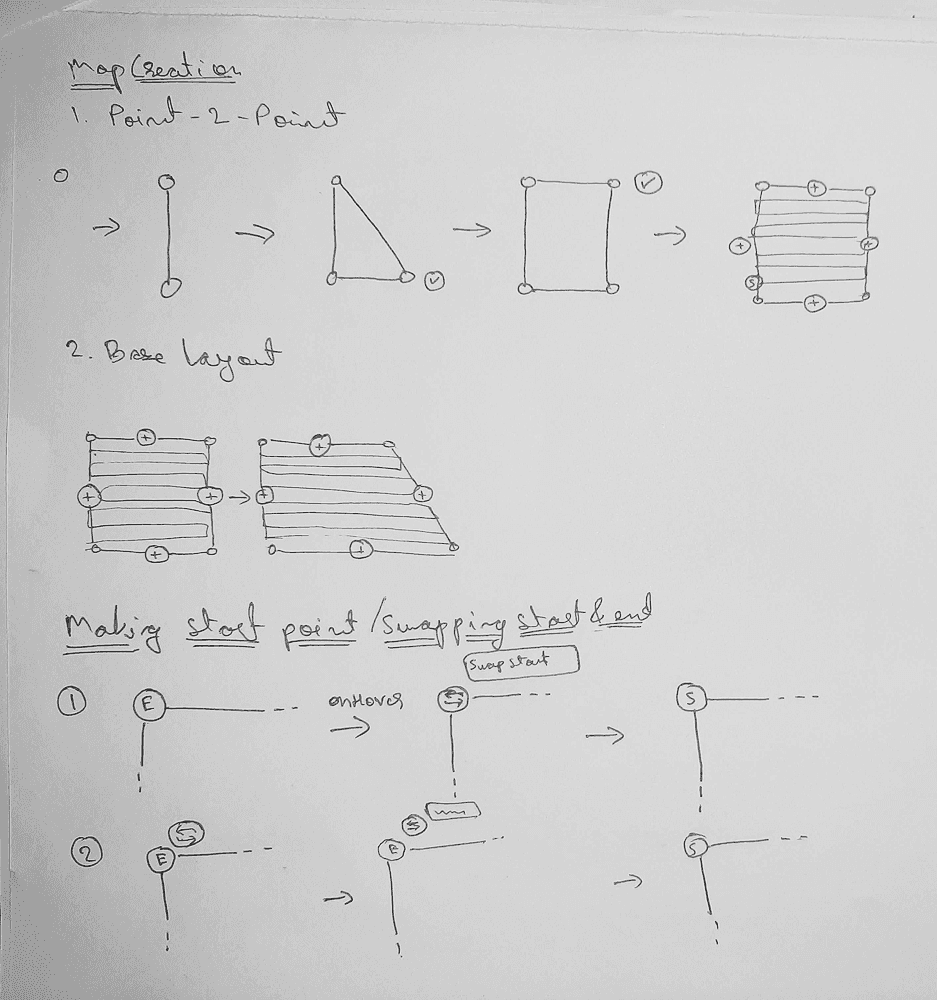
Final grid tool- Optimized for clarity and ease of use, the final design ensures strong visibility across different map types.
Impact & retrospective
This revamp was a key step in evolving the mission planner into a more powerful and flexible tool. Some key outcomes include:
Seamless Integration with Industry Leaders
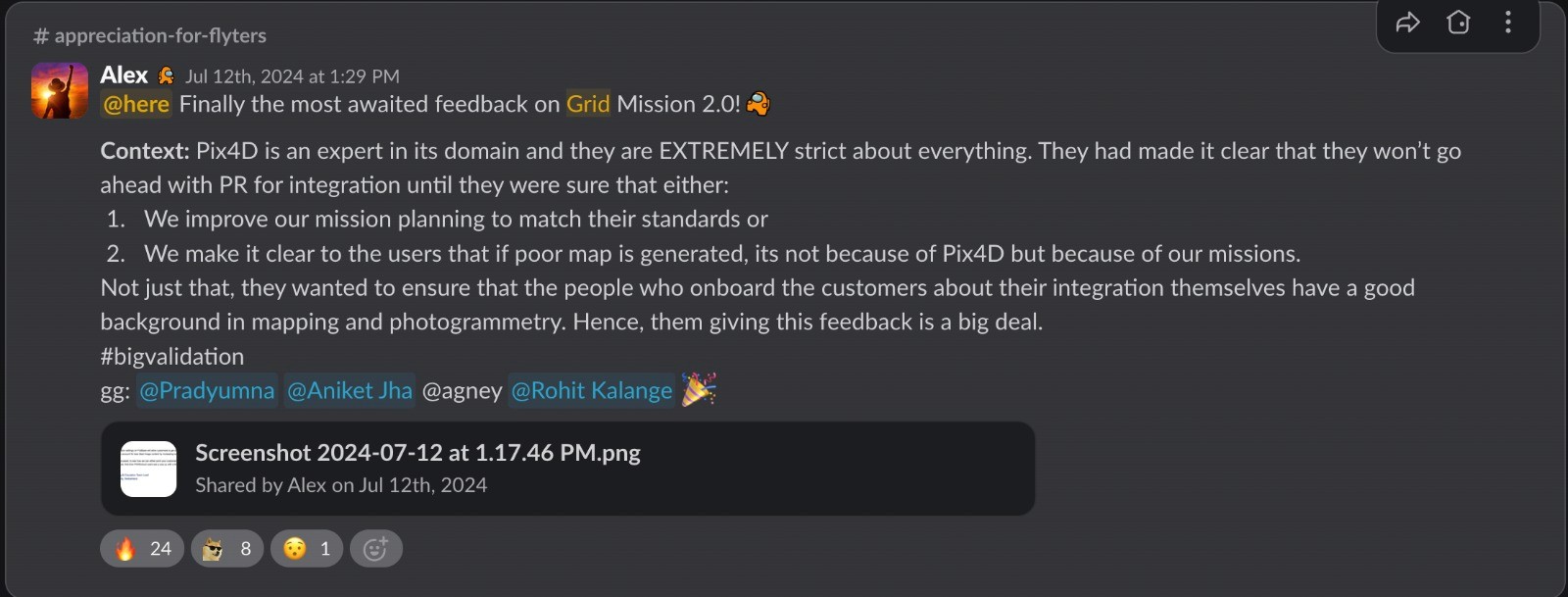
The updated structure and capabilities allowed us to integrate with one of the leading orthomosaic post-processing platforms, extending our end-to-end mission workflow and boosting platform value.
Improved Planning Efficiency & Accuracy
With streamlined interfaces and better access to key settings, existing users were able to plan missions faster and more accurately.
Expanded Professional Use Cases
The redesign opened the door for a wider range of commercial applications through FlytBase, from infrastructure inspection to precision agriculture.
More projects